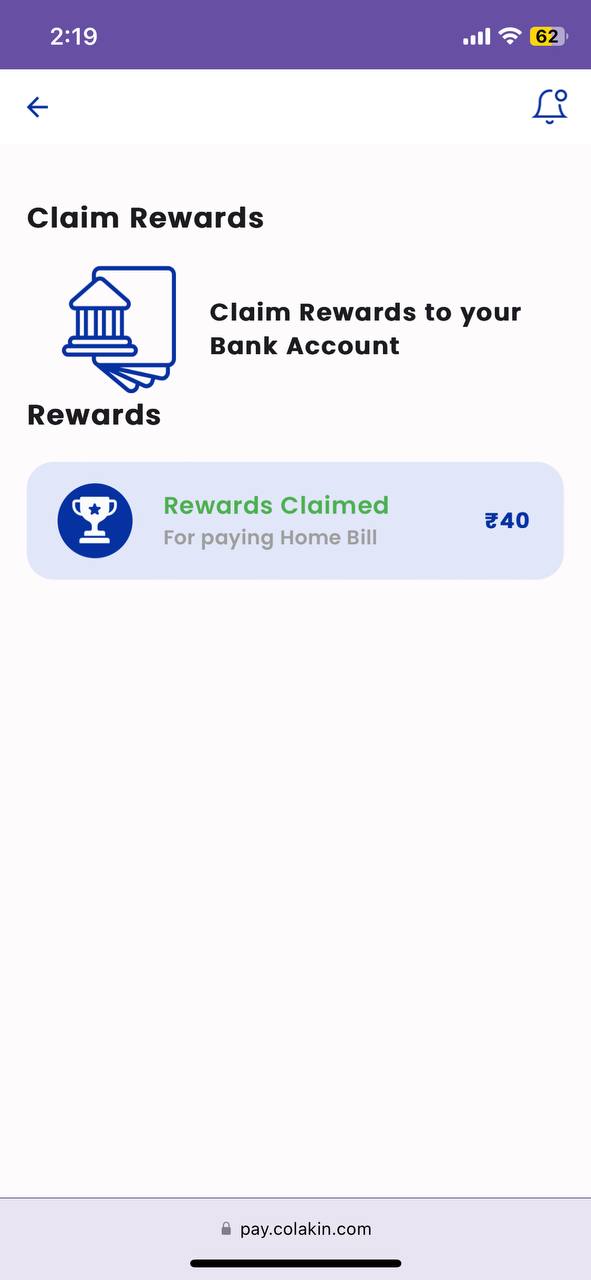
Claim Reward
Click here for Claim Reward Demo
Claim Reward UI
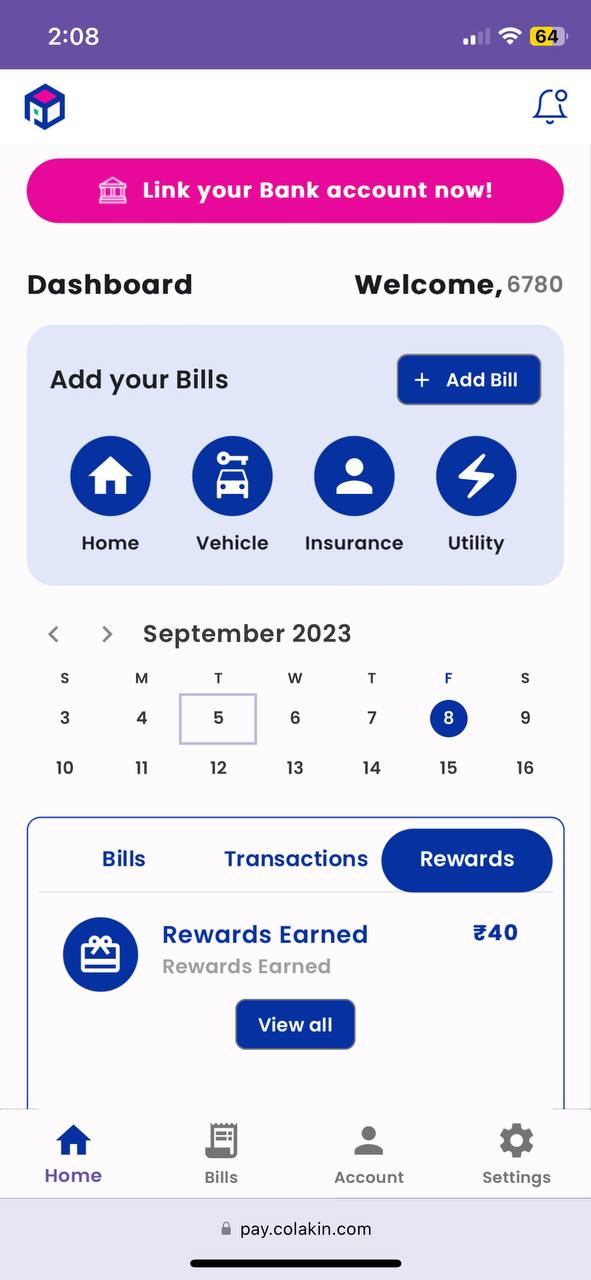
After Reward Earned, User will go to Dashboard and Select Rewards Tab to View Earned Rewards. Then Select View All Button to navigate to Rewards Screen for Claim Reward
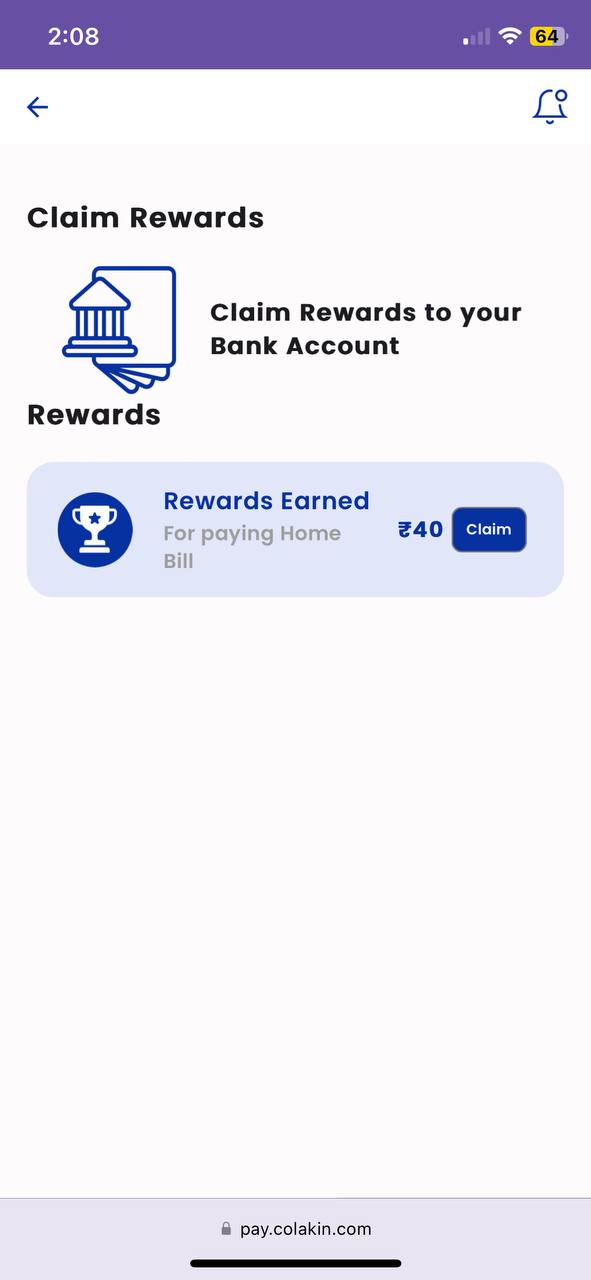
In Reward Screen, Select Claim Button
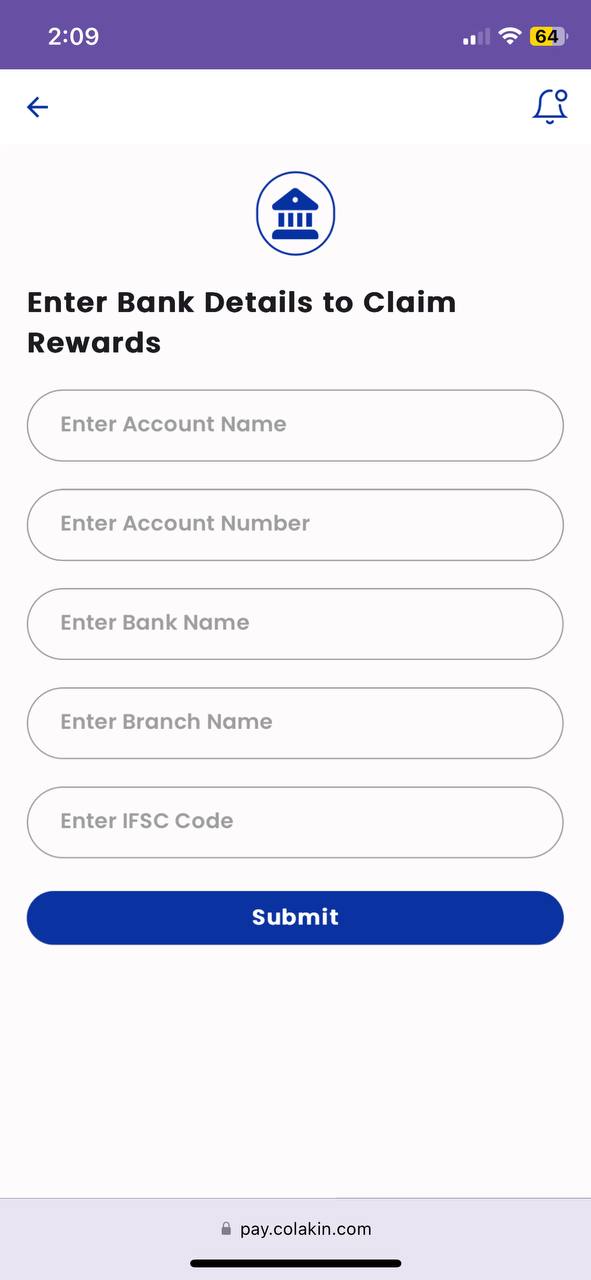
Add Bank Details
Enter the Bank Account Details to claim the reward to user given account. Then Submit the Details,
Back Office
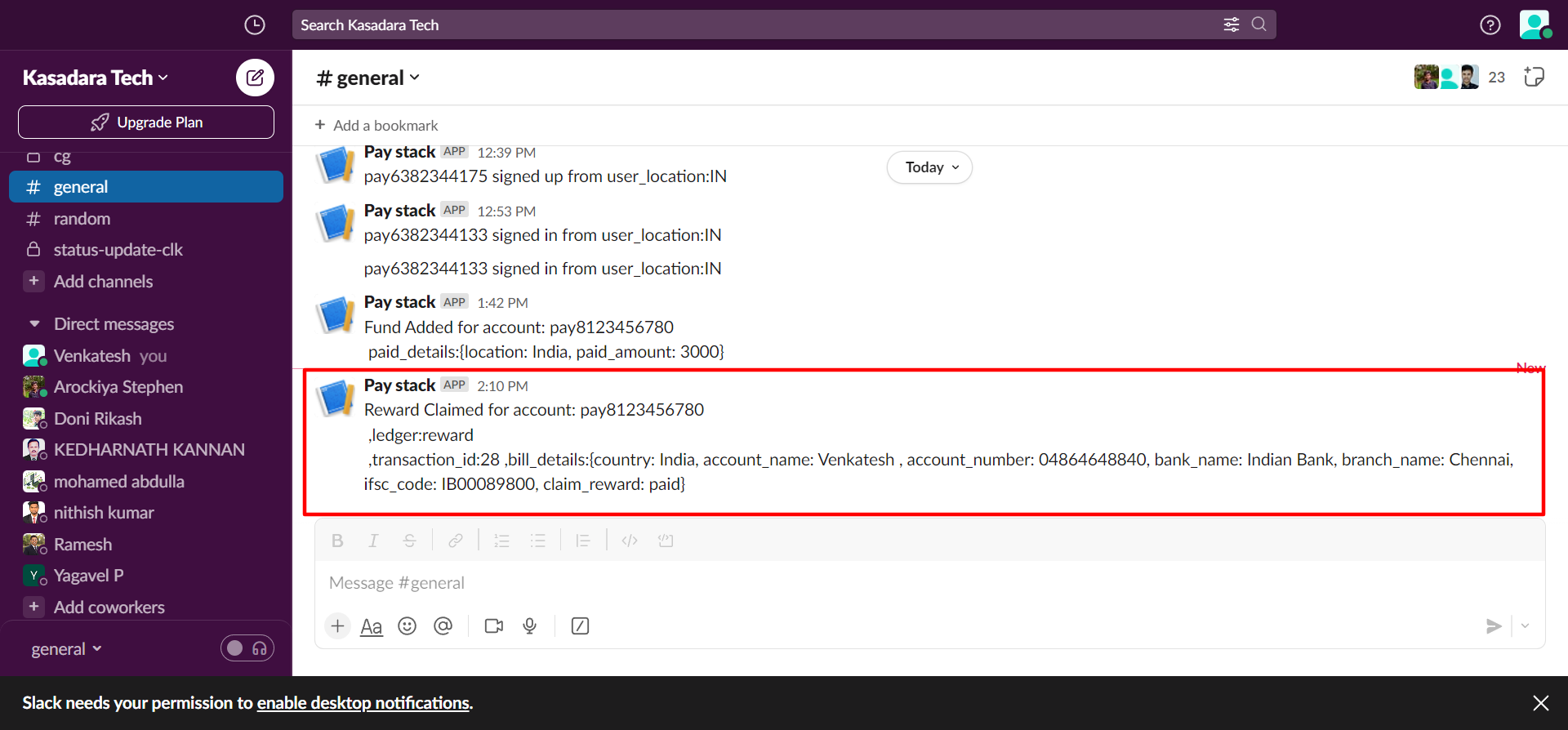
Slack Notification Message
Back Office receives Slack Notification Message when user submitted all account details. This message have User's Account Number, Bank Details, Rewards Earned.
Update status in Ledger
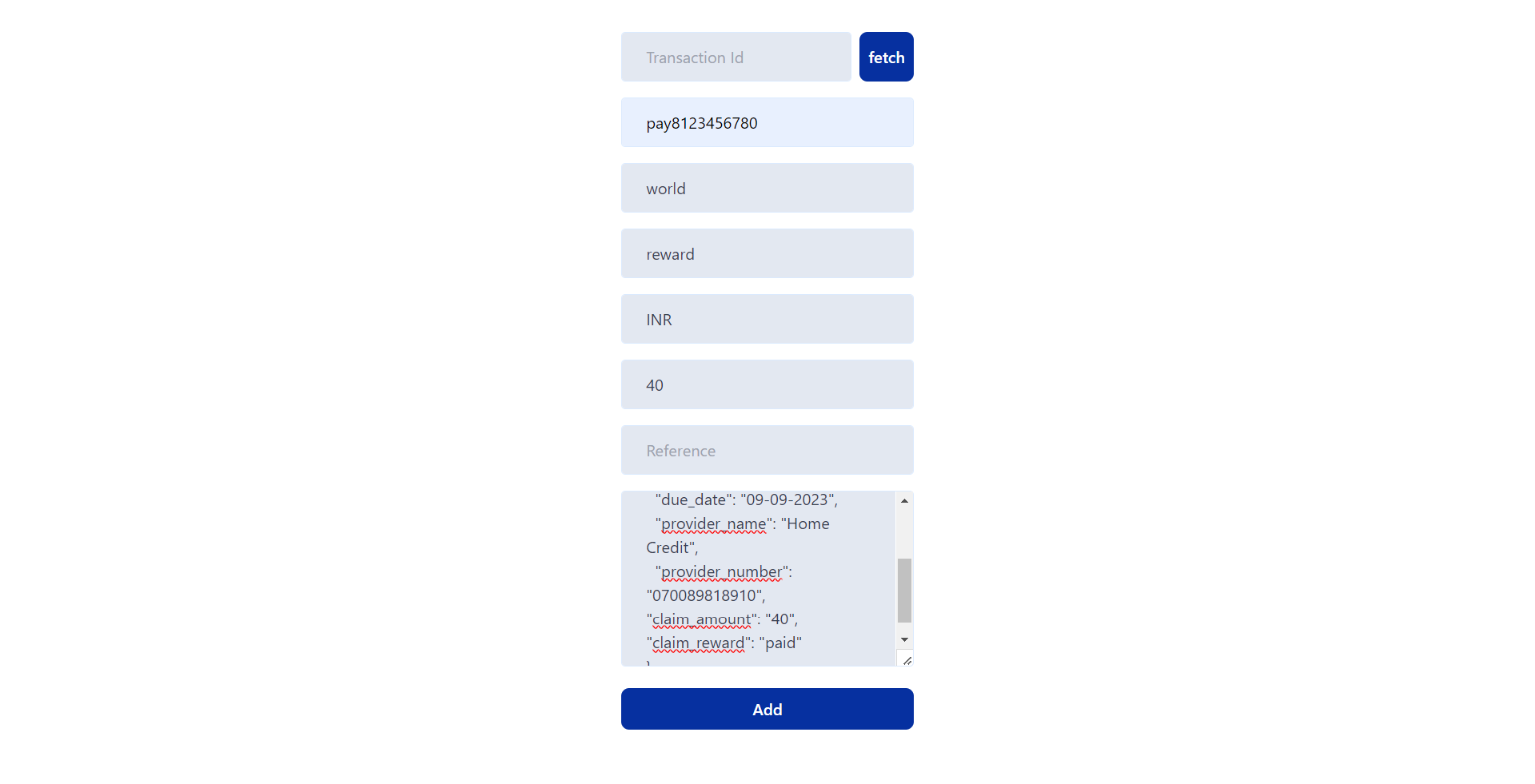
In Reward Ledger, Back Office update the metadata by adding new attribute claim_reward : paid
Reward UI
After Reward Claimed, User can see the status in Rewards Tab on Dashboard
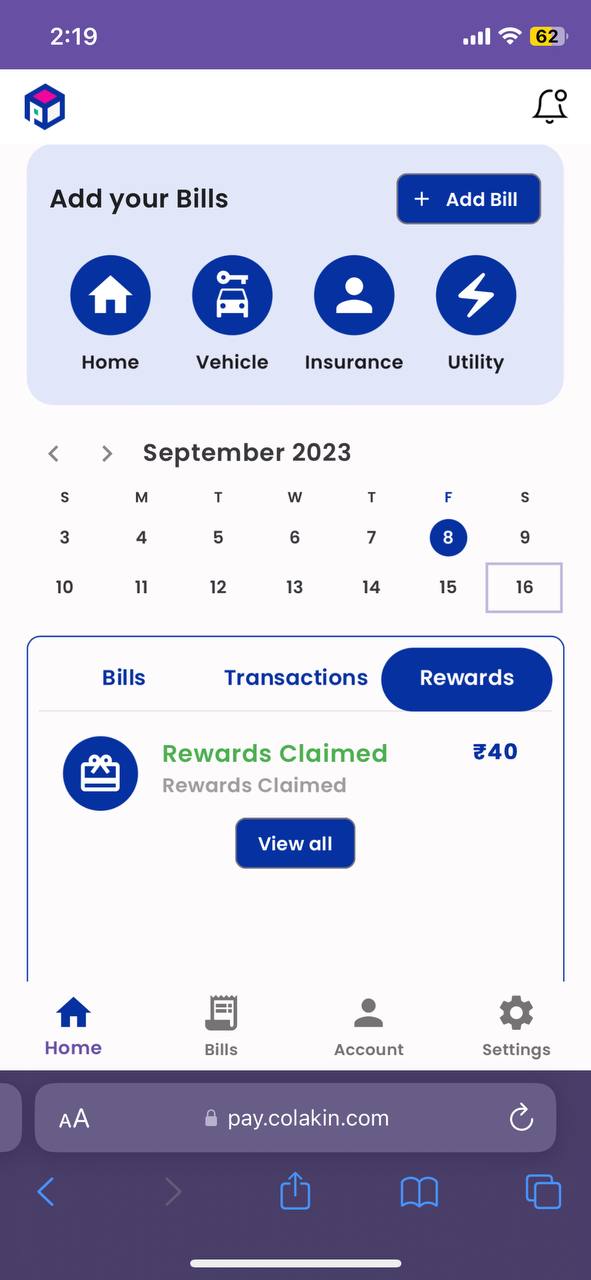
User can also see the claimed status in Rewards Screen